
Aadhaar–bank (NPCI) seeding
In short
- The installment goes to the bank account your Aadhaar is seeded to in NPCI for DBT.
- Having your Aadhaar number on the account isn't enough. The account has to be enabled for DBT in NPCI.
- Only one account gets the money: the one seeded most recently.
- You can get it done at your bank, on NPCI's BASE portal or at the post office (IPPB).
What is Aadhaar–bank (NPCI) seeding?
PM Kisan installments are paid straight into your bank account (DBT), and they travel on your Aadhaar number. For that to work, your Aadhaar has to be linked to a bank account in the records of NPCI, the National Payments Corporation of India. That link is what people call Aadhaar–bank seeding, or NPCI seeding.
It is one of the three things every installment (kist) depends on. The other two are eKYC and land seeding.
Handing your bank a photocopy of your Aadhaar, or having the Aadhaar number written on your account, is not the same as seeding. The account has to be enabled for DBT in NPCI. Plenty of farmers see their account marked “linked to Aadhaar” at the bank and still have their payment fail.
How to check whether seeding is done
1. In your PM Kisan status
Open your status and look under Eligibility Status for Aadhaar Bank Account Seeding Status. If it says Yes, you are fine as far as PM Kisan is concerned.
2. On myAadhaar (which bank it is linked to)
The official Aadhaar website shows which bank account your Aadhaar is linked to. That tells you which bank your installment will go to.
- Open myaadhaar.uidai.gov.in.
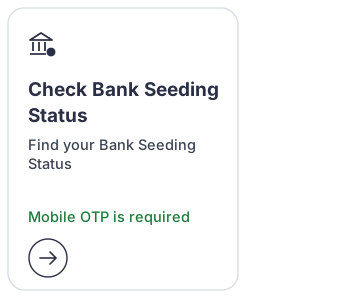
- Click Check Bank Seeding Status. On the older version of the page it is called Bank seeding status.
- Enter your Aadhaar number and the captcha, then log in with the OTP sent to the mobile linked to your Aadhaar.
- You will see the name of the bank your Aadhaar is linked to and the seeding status.
This only works if your mobile number is linked to Aadhaar. If it isn't, ask at your bank, or first get your mobile number added at an Aadhaar centre.
This information comes from NPCI's records. If you have two accounts in the same bank, ask the bank which one is linked.
3. On NPCI's BASE portal
NPCI has its own portal called BASE (base.npci.org.in). You can reach it from npci.org.in through Customers, then Get Help, then Aadhar Seeding Status. The menu on the left has three options.
- Aadhaar Mapped Status shows which bank your Aadhaar is linked to, once you enter your Aadhaar number and the captcha.
- Aadhaar Seeding/Deseeding lets you apply for seeding from home. The steps are below.
- Request Status Check shows where your request stands, using its reference number.
The portal works in 13 languages, Hindi among them.
How to get seeding done
At your bank
- Go to the branch of the bank where you want the money, with your Aadhaar card, passbook and the mobile linked to your Aadhaar.
- Ask for the form for Aadhaar seeding or DBT (NPCI). By signing it you agree that government payments can come into this account.
- Hand in the form and take a receipt.
- After a few days, check myAadhaar or your PM Kisan status.
Every bank names the form a little differently, for example “Aadhaar linking / seeding application” or “Aadhaar consent form (DBT)”. Just tell the bank you want your Aadhaar seeded to this account in NPCI for DBT.
From home on NPCI's BASE portal
- Open Aadhaar Seeding/Deseeding on the BASE portal.
- Enter your Aadhaar number and choose Seeding.
- Pick your bank under Select Your Bank. The list has about 195 banks, including SBI, PNB, Bank of Baroda, regional rural banks, cooperative banks and India Post Payments Bank.
- Enter your account number twice, tick the consent box, fill in the captcha and submit.
- Confirm with the OTP sent to your Aadhaar-linked mobile, and write down the reference number you get.
The request goes to your bank, and the bank does the actual seeding. If the bank turns it down for some reason, such as a name or KYC mismatch, you will have to visit the branch.
Through India Post Payments Bank (IPPB) at the post office
The government runs Aadhaar seeding drives in villages along with CSCs (Common Service Centres) and India Post Payments Bank (IPPB). With IPPB:
- You can apply for Aadhaar seeding at your nearest post office or in the IPPB mobile app. It is confirmed with your fingerprint or an Aadhaar OTP.
- The postman can open an IPPB account for you at your doorstep. Call the IPPB contact centre on 155299 to arrange it.
- You can also take out your PM Kisan money at home through the postman, using your Aadhaar (AePS), up to ₹10,000 a day. According to the government, the post office charges nothing for this.
Why your installment is going to a different account
Under NPCI's rules, your Aadhaar is linked for DBT to only one account at a time, the one seeded most recently. A new seeding replaces the old link, and every government payment (PM Kisan, the gas subsidy, pensions and so on) goes to that one account. So if you first seeded your Aadhaar with SBI and later with another bank, the installment will go to the other bank.
- Your AadhaarThe government sends the money to your Aadhaar number.
- NPCI mapperThis records which bank your Aadhaar is linked to.
- The last seeded accountThe installment goes only to this one account, not to the old one.
- Check your PM Kisan status. Next to each installment it shows which bank the money went to.
- If you want the installment in an account that isn't getting it, go to that bank and have your Aadhaar seeded there again.
- If you closed your old account and your Aadhaar is still linked to it, the payment will fail. Get your new account seeded.
Common reasons seeding fails
| Reason | What to do |
|---|---|
| Name doesn't match | Get the name on your bank account changed to match your Aadhaar. See name correction. |
| Account closed or inactive | Complete KYC at the bank to reactivate the account, or seed a new account. |
| Consent not given | Fill in the DBT form at your bank to give consent. |
| Bank has merged | If your old bank's account moved to a new bank, check the seeding again with the new IFSC. |
Common questions
How long does seeding take?
The government hasn't set a fixed time. It usually takes two or three working days. Check myAadhaar or the BASE portal after a week. Your PM Kisan status can take a little longer to show Yes.
Why do installments fail most often?
According to the government, the main reasons PM Kisan payments fail are the bank removing the Aadhaar from NPCI (de-seeding), Aadhaar not being linked to the account, and closed accounts. Since the 13th installment, payments go only through Aadhaar, so without seeding the installment doesn't come.
Can the PM Kisan installment come into a Jan Dhan account?
Yes. Any savings account works, as long as it is in your name and seeded with your Aadhaar for DBT.
How do I change my bank account in PM Kisan?
The money goes to the account your Aadhaar is linked to. So get your Aadhaar seeded at the bank where you want the money. NPCI takes care of the rest.
Is this a government website?
No. Kisan Kisht is my own website. Your records are with the government, and only the government can change them.
Sources: UIDAI (uidai.gov.in), NPCI (npci.org.in), PIB (pib.gov.in), IPPB, pmkisan.gov.in